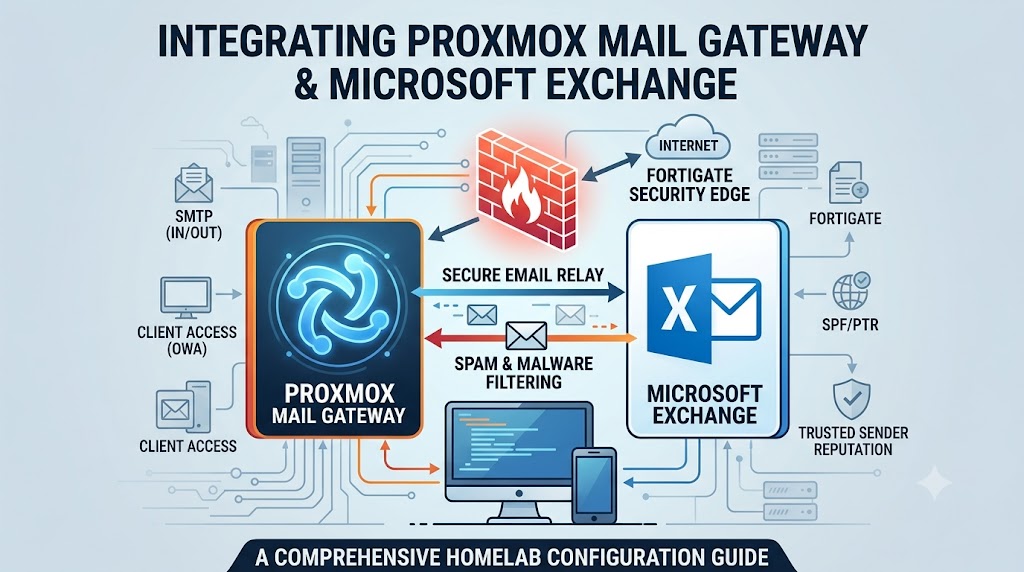
 Running an advanced, enterprise-grade homelab infrastructure requires more than just deploying virtual machines; it demands robust networking, strict security policies, and logical traffic flow. In my VMware-based environment, handling email securely and efficiently is a critical component. To achieve this, I have integrated Microsoft Exchange with Proxmox Mail Gateway (PMG), all orchestrated and protected by a FortiGate firewall. This article breaks down how the incoming and outgoing mail, edge security policies, and gateway settings are configured to create a reliable communication stack.
Architecture and Component Setup
The core of the email architecture relies on three primary components:
Microsoft Exchange: Acts as the primary mailbox server and handles end-user client access.
Proxmox Mail Gateway (PMG): Serves as the central mail relay, filtering out spam and malicious content before it reaches the mailbox server or the outside world.
FortiGate: Manages edge security, Network Address Translation (NAT), and client access routing.
Because the PMG instance runs as a virtual machine within my 4-node VMware cluster, open-vm-tools is installed to ensure seamless management, proper integration, and optimal performance within the hypervisor.
 Outbound Mail Flow and Routing
For outgoing emails, the Exchange server is deliberately isolated from sending messages directly to the internet. Instead, Exchange is configured to use Proxmox Mail Gateway as a smart host, routing all outbound mail to PMG over port 26.
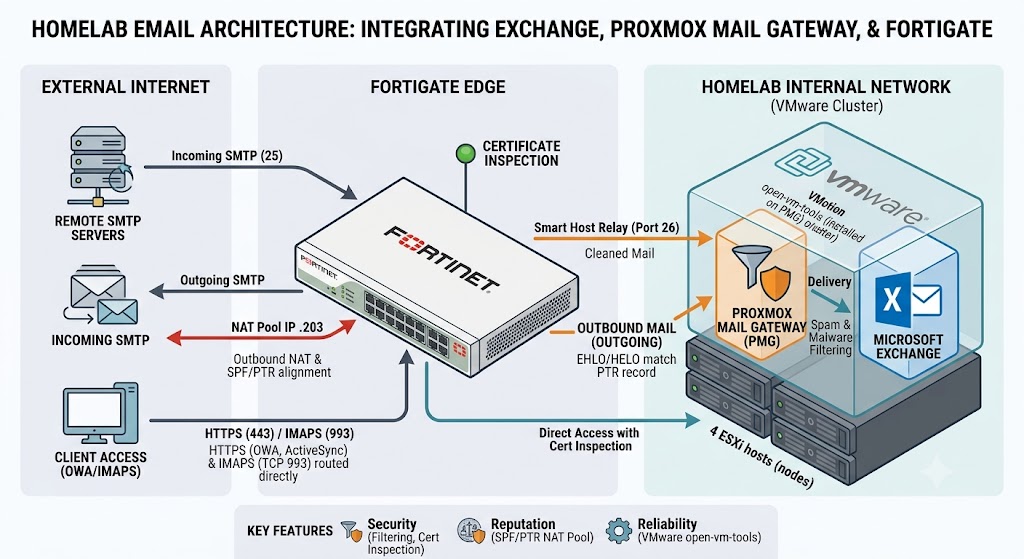
Once PMG processes the outbound mail, it hands the traffic off to the FortiGate firewall to reach external recipients. To maintain a strong sender reputation and avoid remote spam filters, the FortiGate uses a dedicated NAT IP pool for outbound SMTP traffic. This policy translates the traffic to a specific public IP address ending in .203. This IP address was chosen because it aligns perfectly with the domain’s SPF and PTR (Reverse DNS) records. Additionally, the PMG configuration was explicitly updated so that its EHLO/HELO identity matches this public PTR record, satisfying strict remote mail server validation checks.
Inbound Mail Flow and Client Access
Incoming external emails hit the FortiGate edge, which routes the standard SMTP traffic directly to the Proxmox Mail Gateway for initial screening. After thorough filtering, PMG delivers the clean, safe messages internally to the Exchange server.
For end-user access, clients need to connect to the Exchange server for services like Outlook Web Access (OWA), ActiveSync, and IMAP. The FortiGate is configured with specific port forwarding policies to route IMAPS (TCP 993) and HTTPS (TCP 443) traffic directly to the Exchange server, bypassing PMG since these protocols do not require mail filtering. To ensure this direct client access remains highly secure, FortiGate applies certificate inspection to these incoming traffic flows.