01/10/2026
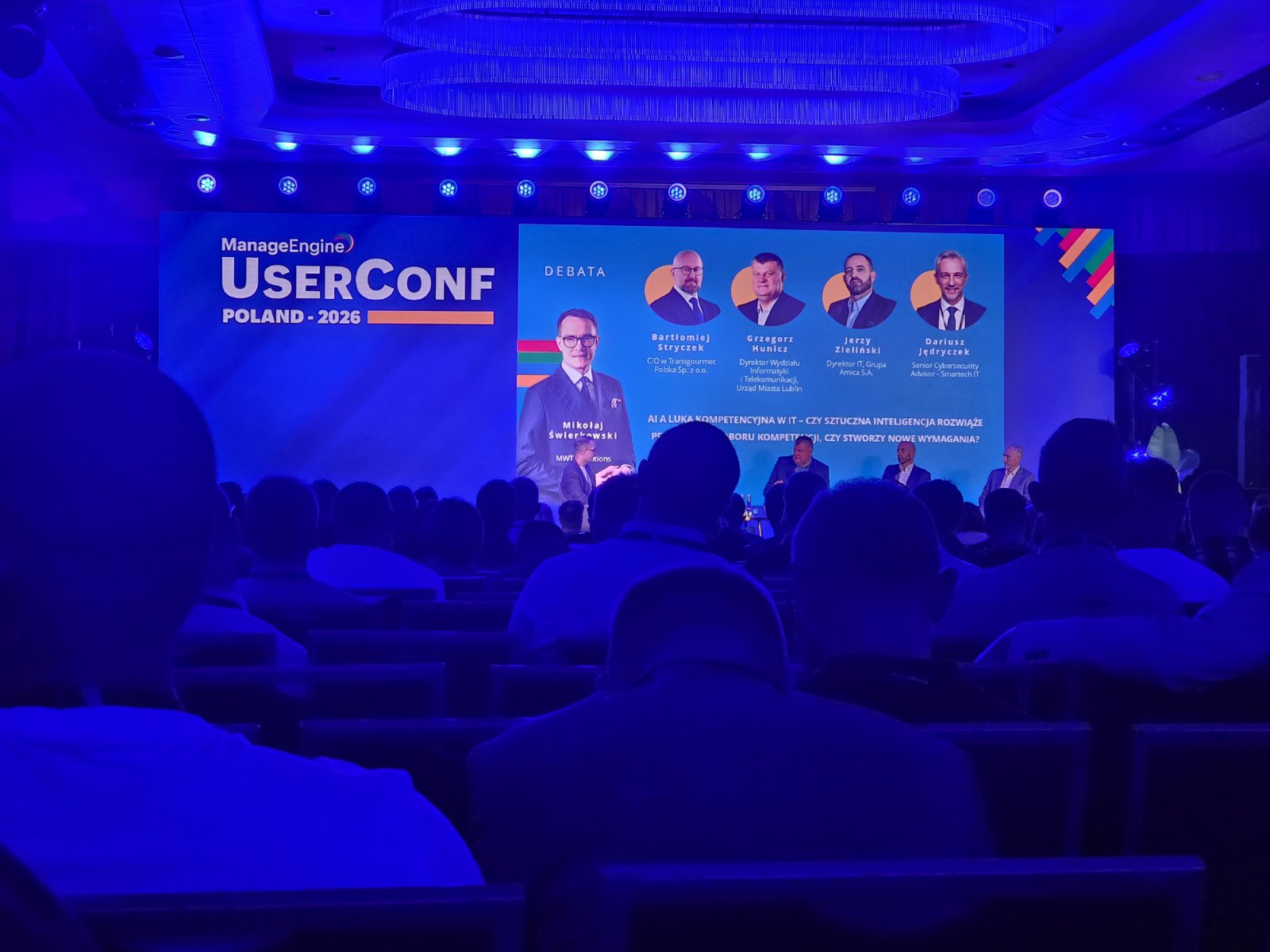
There is something inherently valuable about stepping away from the server room (or the home lab) to see the broader landscape of our industry. Recently, I had the opportunity to attend the ManageEngine UserConf Poland 2026, and it was exactly the kind of deep dive into IT operations that every infrastructure engineer needs from time to time. For those of us managing complex, on-premise, and hybrid environments, ManageEngine’s ecosystem is a familiar beast. Whether it's OpManager, ServiceDesk Plus, or Endpoint Central, these tools often form the backbone of our daily monitoring and ITSM tasks. The conference was a fantastic opportunity to see where the vendor is heading and to exchange "war stories" with fellow IT professionals. However, a major highlight of the conference was a special presentation by Major General Roman Polko, titled "Rozgromić kryzys". He emphasized that while we cannot hide from crises, we can learn to navigate them consciously. In an era of dynamic changes and "the new normal", we increasingly have to make decisions without complete knowledge or a sense of security. The General explained the mechanisms behind modern crises and shared actionable strategies for dealing with decision-making chaos. Learning how to spot opportunities in uncertainty and understanding why trust, responsibility, and courage are the ultimate keys to effective action was a truly inspiring lesson that applies directly to navigating critical IT incidents.
16/07/2026
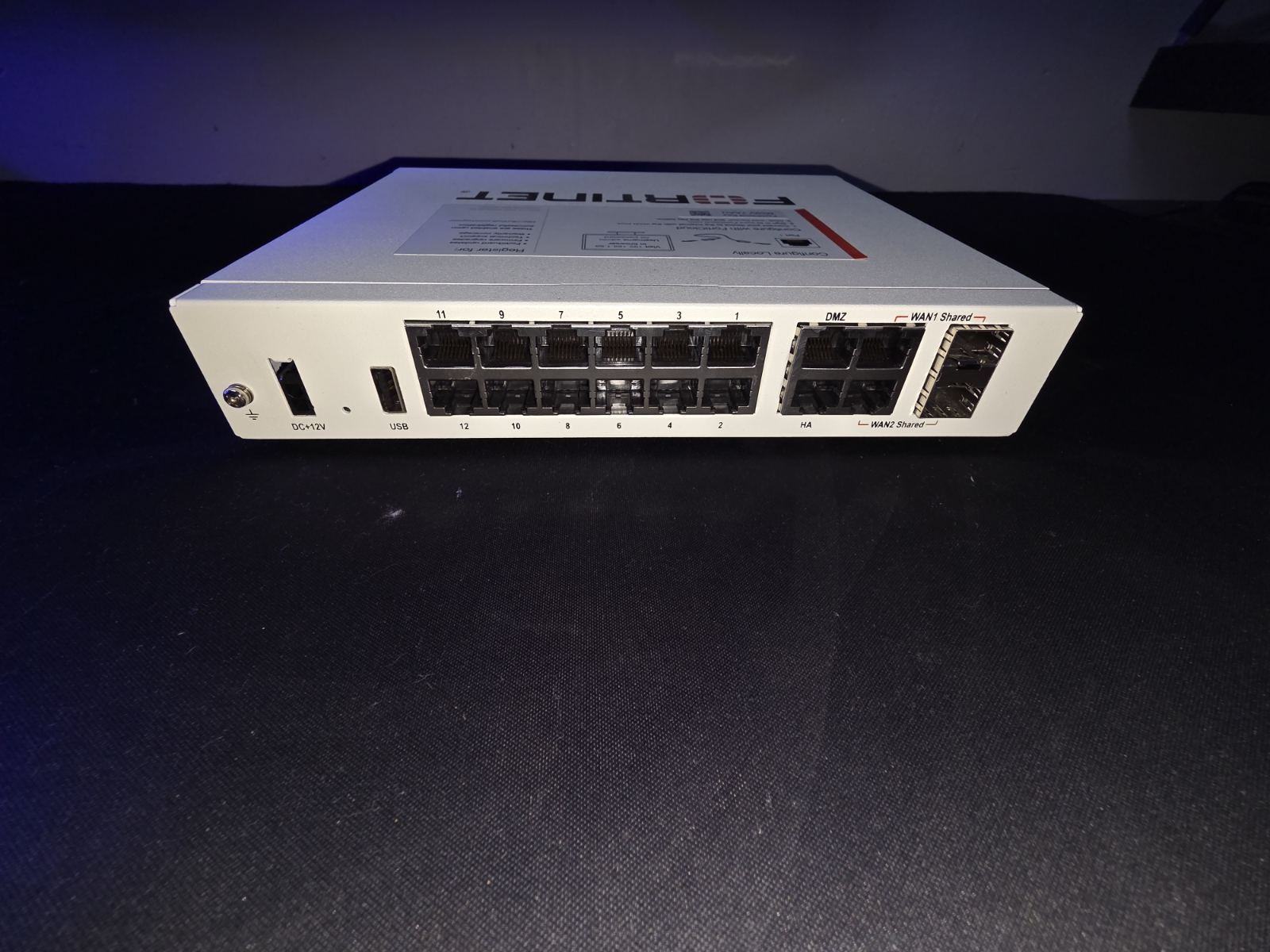
Hardware upgrade completed! Today, I swapped out the older FortiGate 80E for a brand new 71G at my client's. It wasn't just a physical replacement – I took the opportunity to completely rebuild and optimize the configuration from scratch rather than just migrating the old one. The performance jump with the new ASIC architecture is immediately noticeable, and it gives me much more headroom for testing advanced threat protection features and SSL inspection. FoertiGate 80E front FortiGate 71G front
21/06/2026
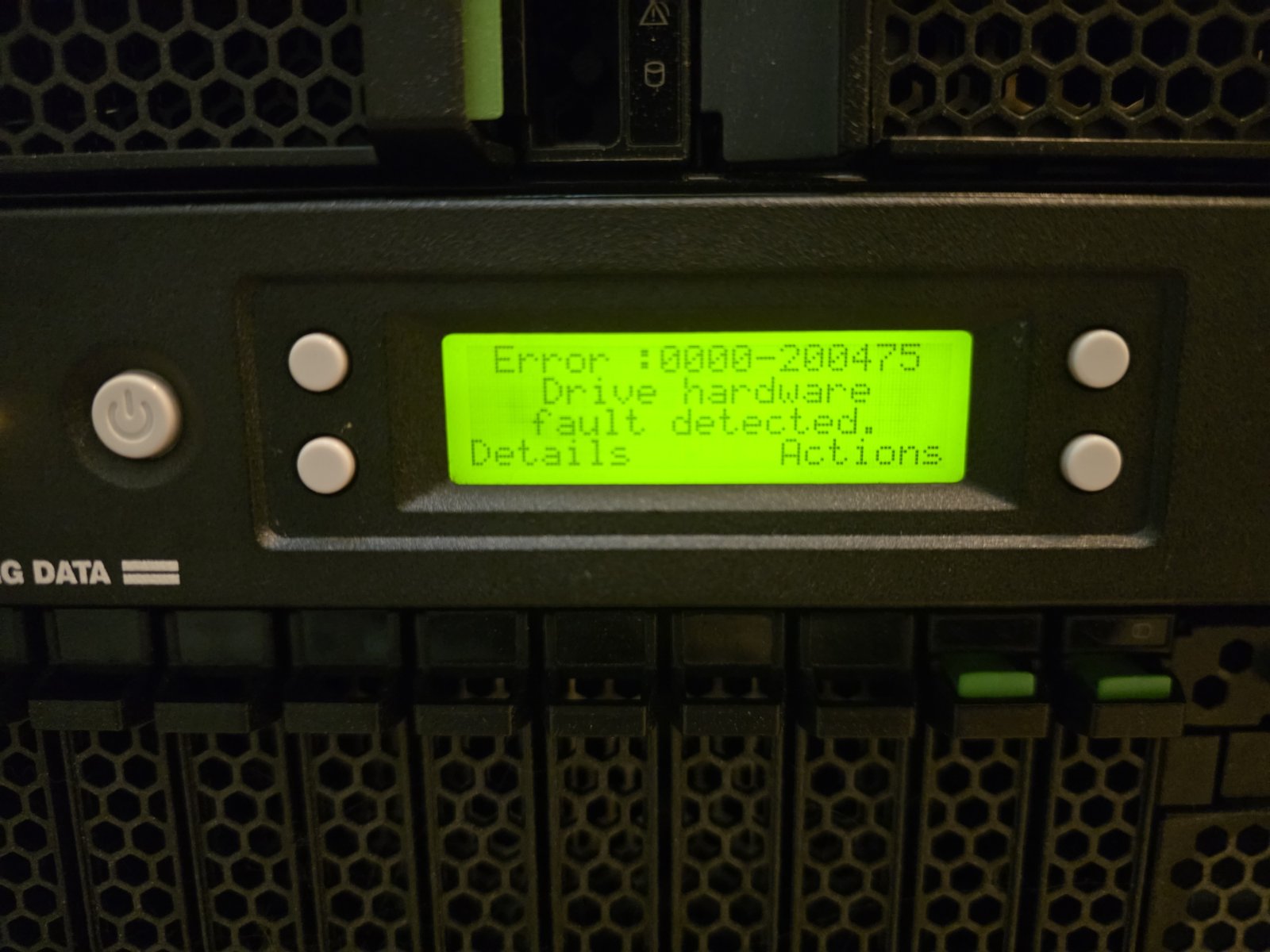
Sometimes, IT administration feels more like being a watchmaker. Today's patient is a very old Tandberg StorageLoader tape library that has decided to act up again. Because of its age, the mechanism is failing, and every so often, a tape gets completely jammed inside the drive. There is no software fix for this. The only solution is to physically take the device off the rack, unscrew the chassis, and manually—and very delicately—extract the stuck tape without damaging the fragile internal drive heads. It is incredibly nerve-wracking work, and it's a clear sign that this hardware has reached the end of its life. I'm currently pitching a brand-new LTO-8 or LTO-9 model to the client. Making the massive leap from our current LTO-5 generation would be an absolute game-changer, finally giving us the speed and capacity to run much larger, modern backups without the constant fear of hardware jams. Fingers crossed the client approves the upgrade soon! The ominous error code flashing on the Tandberg StorageLoader's front panel. Whenever this screen pops up, I know I'm in for a long, hands-on hardware intervention. Surgery in progress. The outer casing is unscrewed and removed, exposing the internal robotics and the drive where the tape is firmly stuck. Getting the LTO-5 cartridge out requires absolute precision and a very gentle touch to avoid ruining the tape or the drive mechanism com
28/05/2026
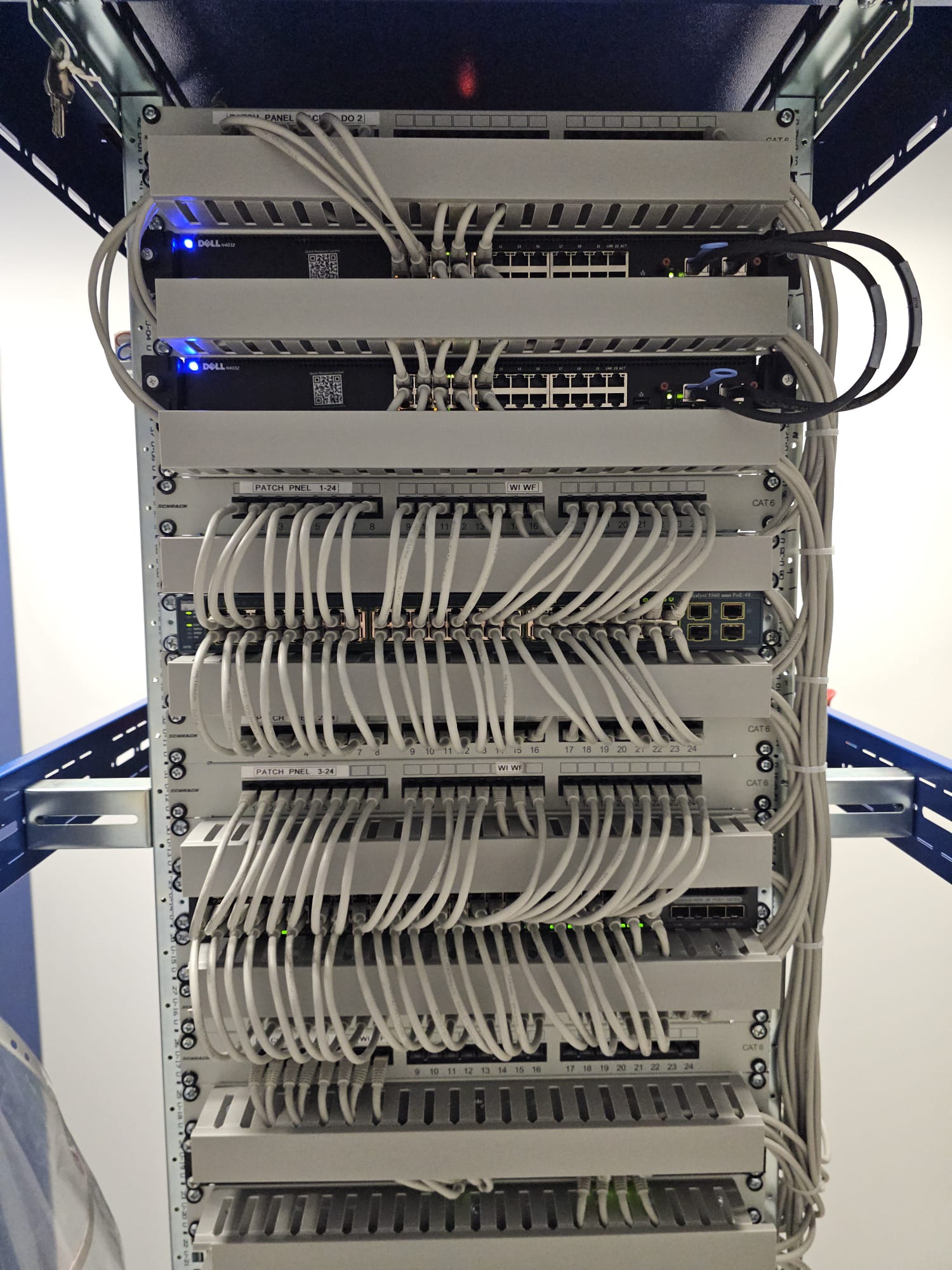
The entire migration to the new building went smoothly, although it definitely cost us two solid all-nighters to get everything across the finish line. Moving physical hardware is only half the battle. Taking advantage of the extended maintenance window, we finally had the downtime needed to clean up some lingering technical debt. We successfully overhauled the FortiGate configuration, swapped out the old single-link connections for proper link aggregation (LACP), and finally established a correct, logical network topology. It feels great to not just move the infrastructure, but to actually improve it in the process. The definition of cable spaghetti. This was the absolute chaos we had to deal with in the old rack. Tracing a single connection in this mess was always a nightmare Order finally restored in the new server room. Neatly combed cables, properly labeled patch panels, and newly stacked switches. This is what a healthy network should look like! The old, stripped-down Dell server cabinets resting in the hallway. They served us well, but they are no longer needed in the new setup and are officially up for sale. Setting up the new office space for the users. The natural light is great, but the real MVPs here are the new electric standing desks—they are absolutely doing the job and making the workspace m
25/05/2026
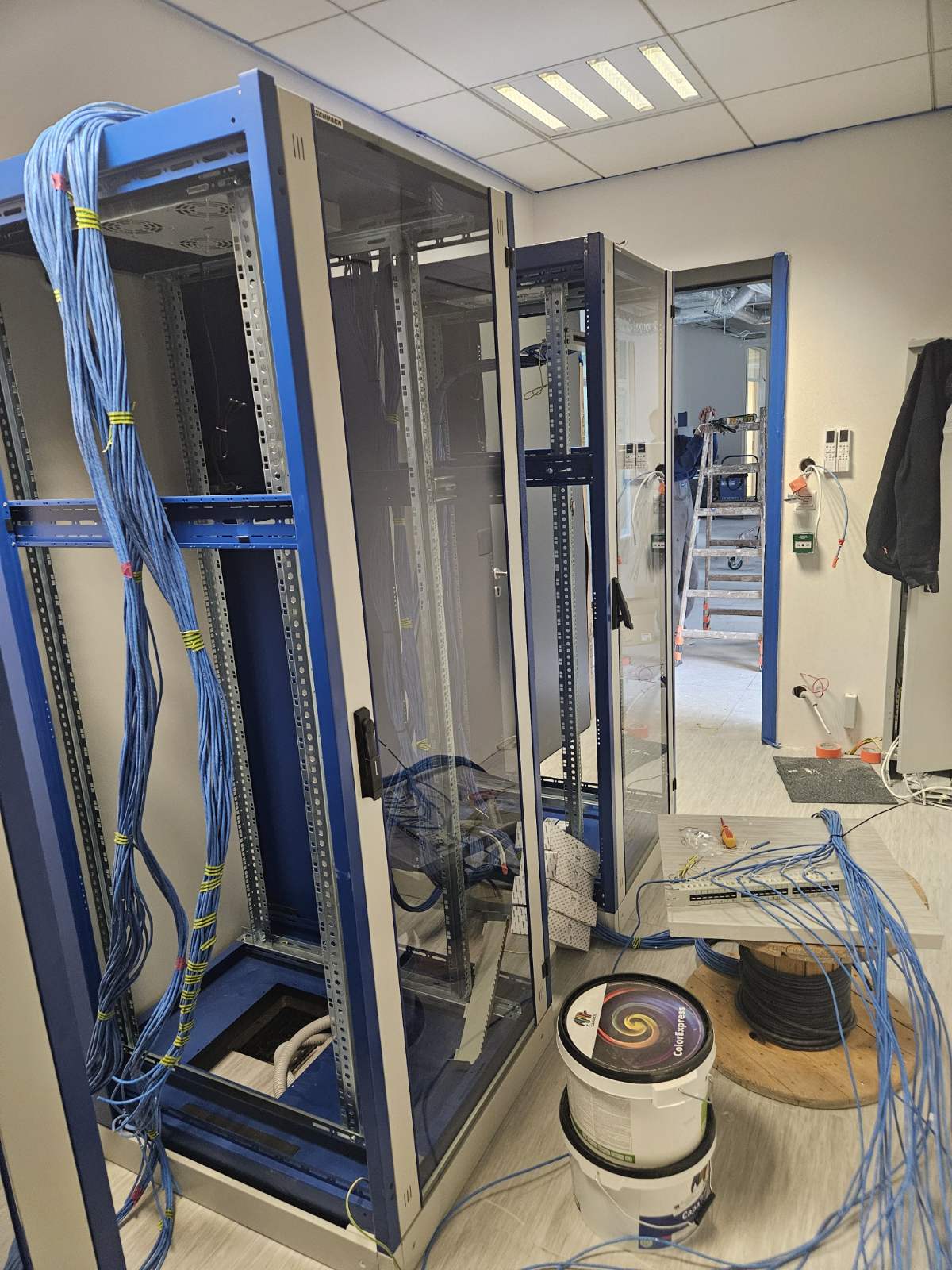
Sometimes, being an IT administrator means giving up your weekend for the greater good of the network. This weekend's mission? Physically relocating a client's entire server room to the building right next door. While moving across the parking lot might sound easy on paper, lifting, racking, and repatching an entire IT infrastructure within a tight 48-hour window is always a massive logistical challenge. We've just finished completely stripping down the old environment, and the structural prep in the new server room is currently underway. Right now, it's a sea of empty metal and unpatched cables, but the foundation is solid. I will post a full update once all the equipment is safely moved, ounted, and the new server room is fully operational. Wish us luck—and lots of coffee! The calm after the storm in the old server room Another empty rack sitting in the old office location, stripped of its heavy IT payload and ready to be transported Welcome to the new server room! The new racks are already positioned, and the massive task of routing the blue Ethernet cables has begun Another angle of the new setup
15/04/2026
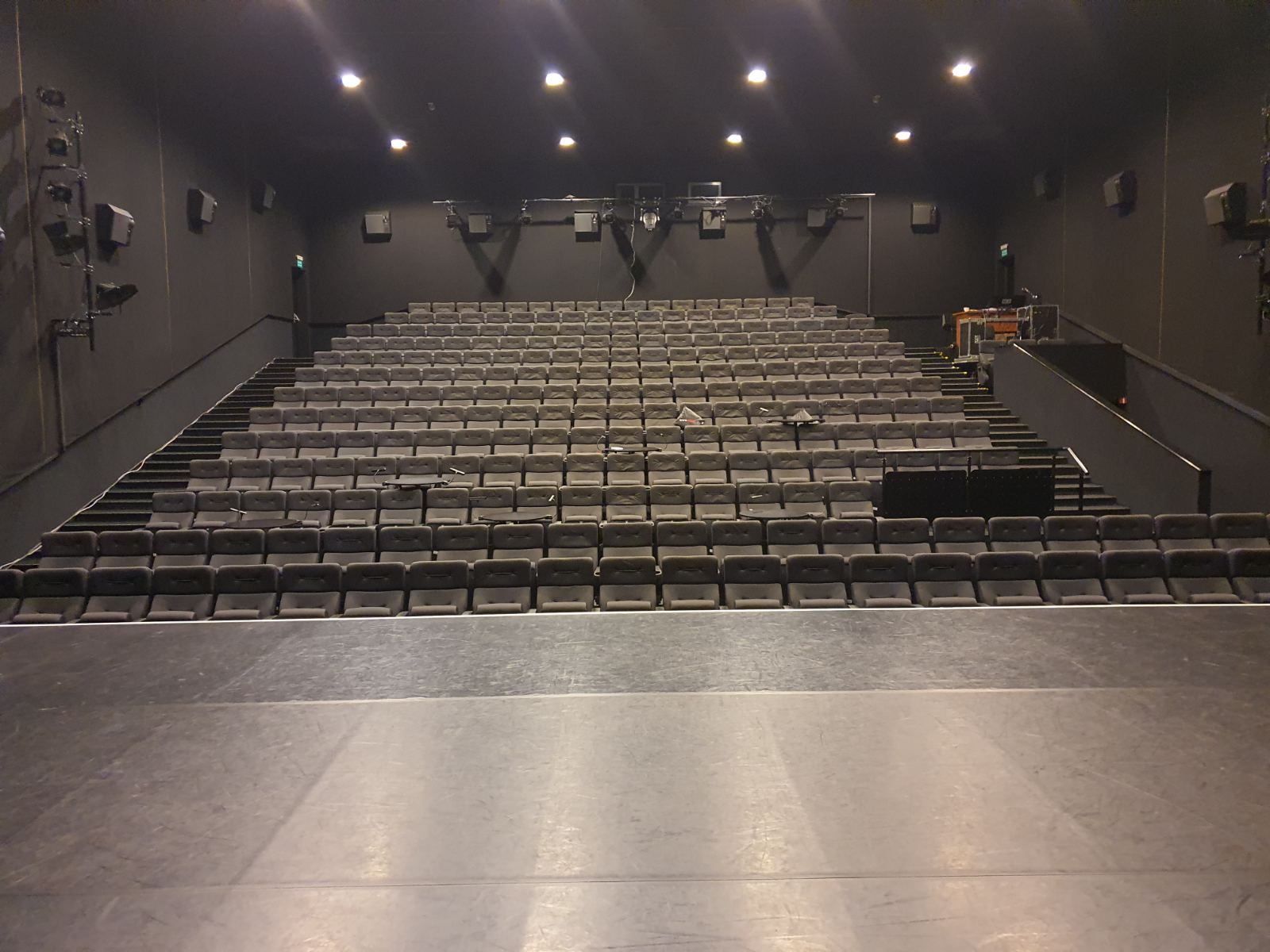
The calm before the storm. The empty theater auditorium viewed from the stage, just hours before the live broadcast crew arrived to set up their streaming gear. Let’s take a little trip down memory lane today. I was recently looking through some old project files and found these photos from a fantastic gig: prepping the IT infrastructure for the Theatrical Music Awards at a prominent theater in Warsaw. When IT meets live entertainment, the stakes are always high. Our primary mission for this event was twofold: completely secure and optimize the main internet uplink to prevent any stream drops, and deploy a robust, temporary LAN directly inside the auditorium for the broadcasting crew's specialized equipment. There is a unique kind of adrenaline that comes with ensuring zero packet loss during a live, multi-camera stream. Full view of the theater's main server rack. We integrated our temporary broadcast routing equipment alongside the existing infrastructure, servers, and UPS units. Close-up of the distribution layer. We patched in temporary lines to physically and logically isolate the broadcasting crew's LAN from the theater's internal traffic. A side-angle look at the rack's interior. You can see the heavy routing of orange network cables supplying hardwired connectivity to different zones of the building.
19/03/2026
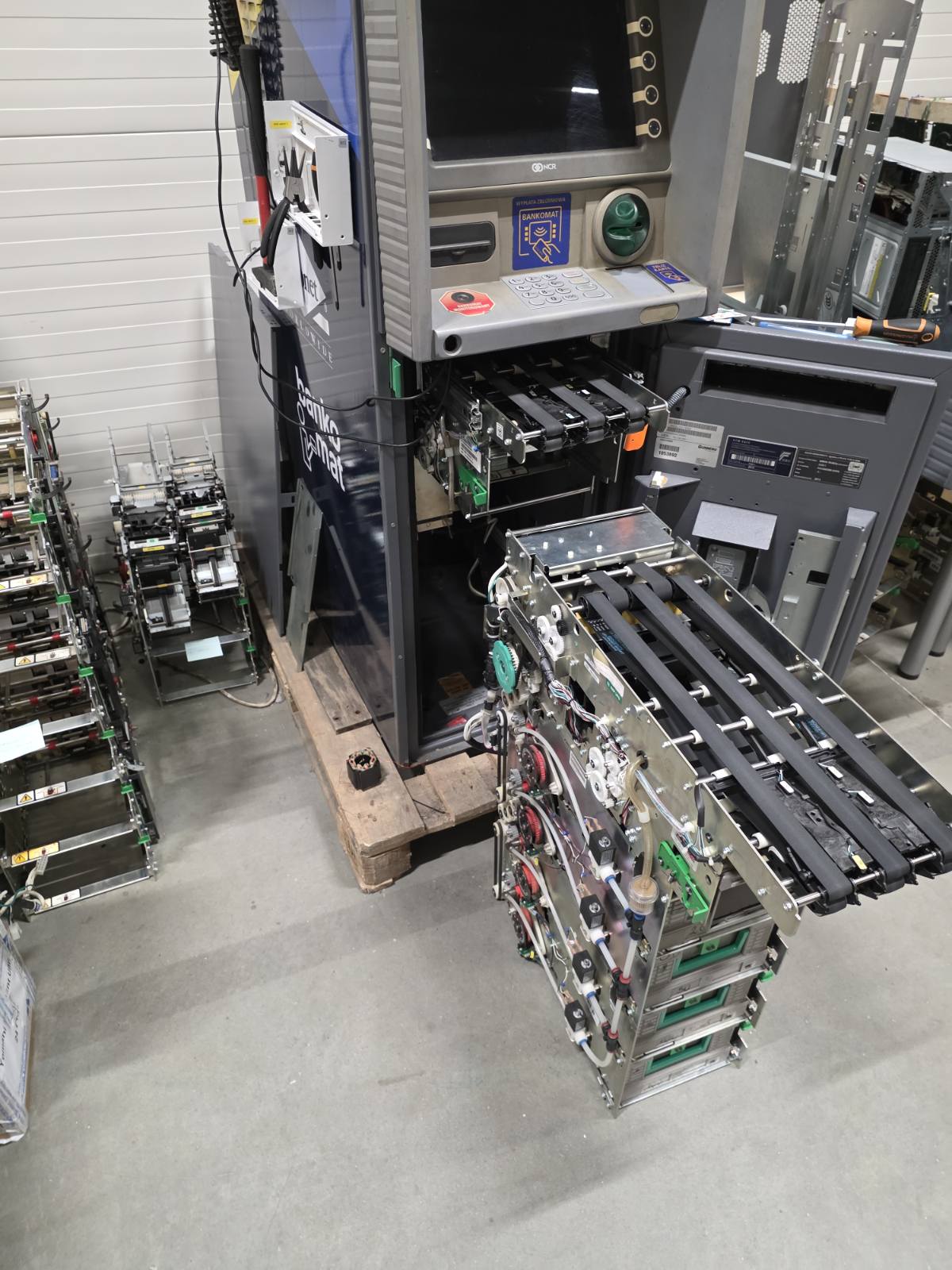
Another day, another network transformation! Today’s mission took me to a client's warehouse facility where they actively service payment terminals and ATMs. The before shot. A chaotic spaghetti monster of unmanaged cables completely dominating the server rack The after shot! Cabling is finally organized, patched properly, and the new hardware can actually breathe The primary goal of the day was to finally retire their old, faithful Cisco ASA. In its place, I deployed a robust High Availability (HA) cluster utilizing two FortiGate 80F firewalls, and successfully established a secure site-to-site VPN tunnel connecting them back to the main headquarters. Since I was already elbow-deep in the infrastructure, I took the opportunity to untangle the cable chaos and do a proper rack cleanup. During my downtime, I got a fantastic behind-the-scenes look at how these massive ATMs are serviced and disassembled. Getting to see the raw internal mechanics of a cash machine is fascinating—though, unfortunately, every single one of them was completely empty! 🙁 Straight-on view of the ATM's internal cash transport belts extracted from the safe. Sadly, no money inside! An opened ATM showing the complex belt system and cash dispenser mechanics pulled out for maintenance A partially disassembled ATM with its massive, heavy-duty vault door swung wide open in the service area The bare metal skeleton and the incredibly thick lower safe of an ATM resting on a pallet in the warehouse
02/02/2026
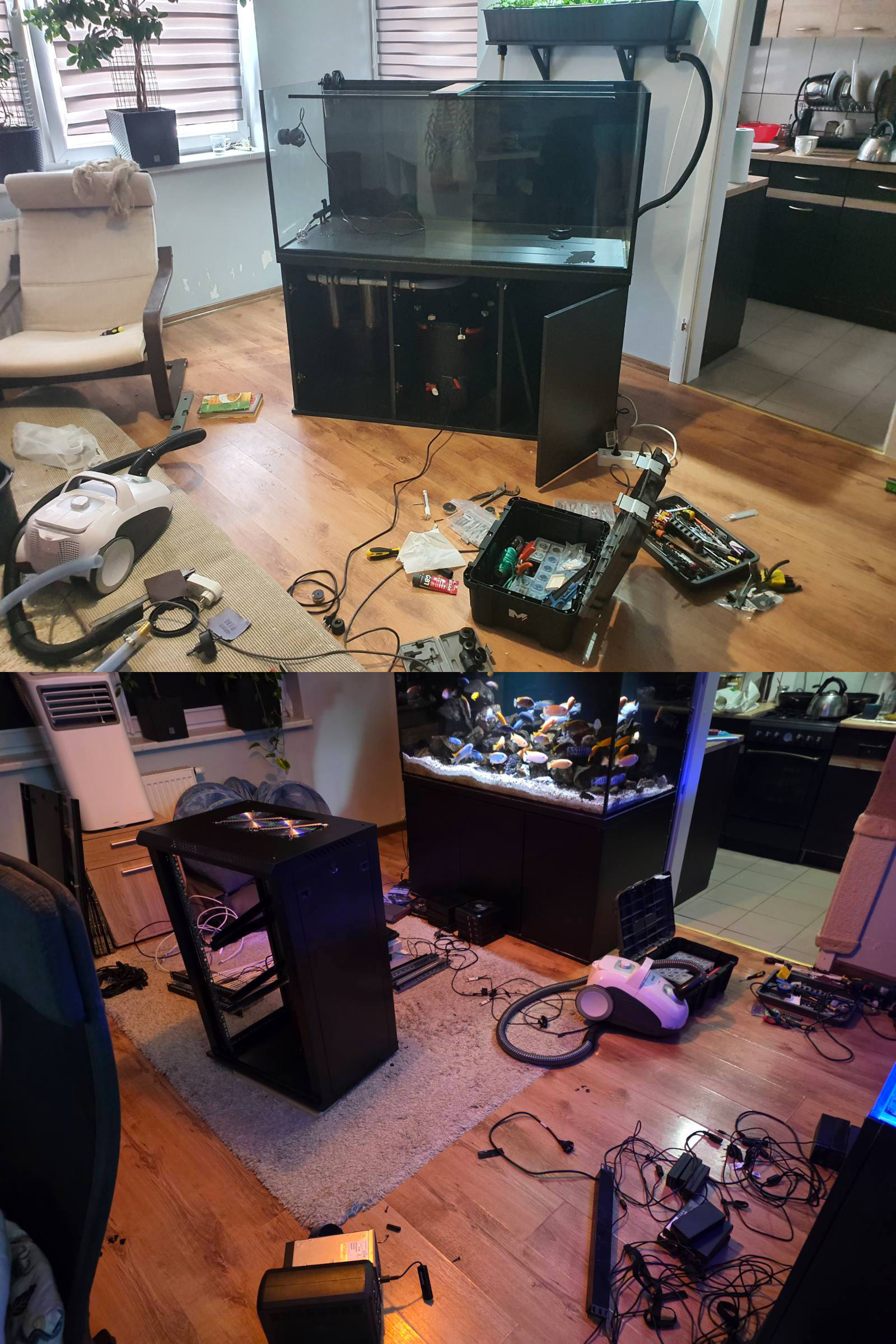
Let's settle a debate based on these photos: who is worse to live with – an aquarist tinkering with a fish tank every weekend, or an IT admin upgrading a server rack on weekdays? Why choose one nightmare when you can have both in one person? Welcome to my girlfriend's nightmare.
16/01/2026
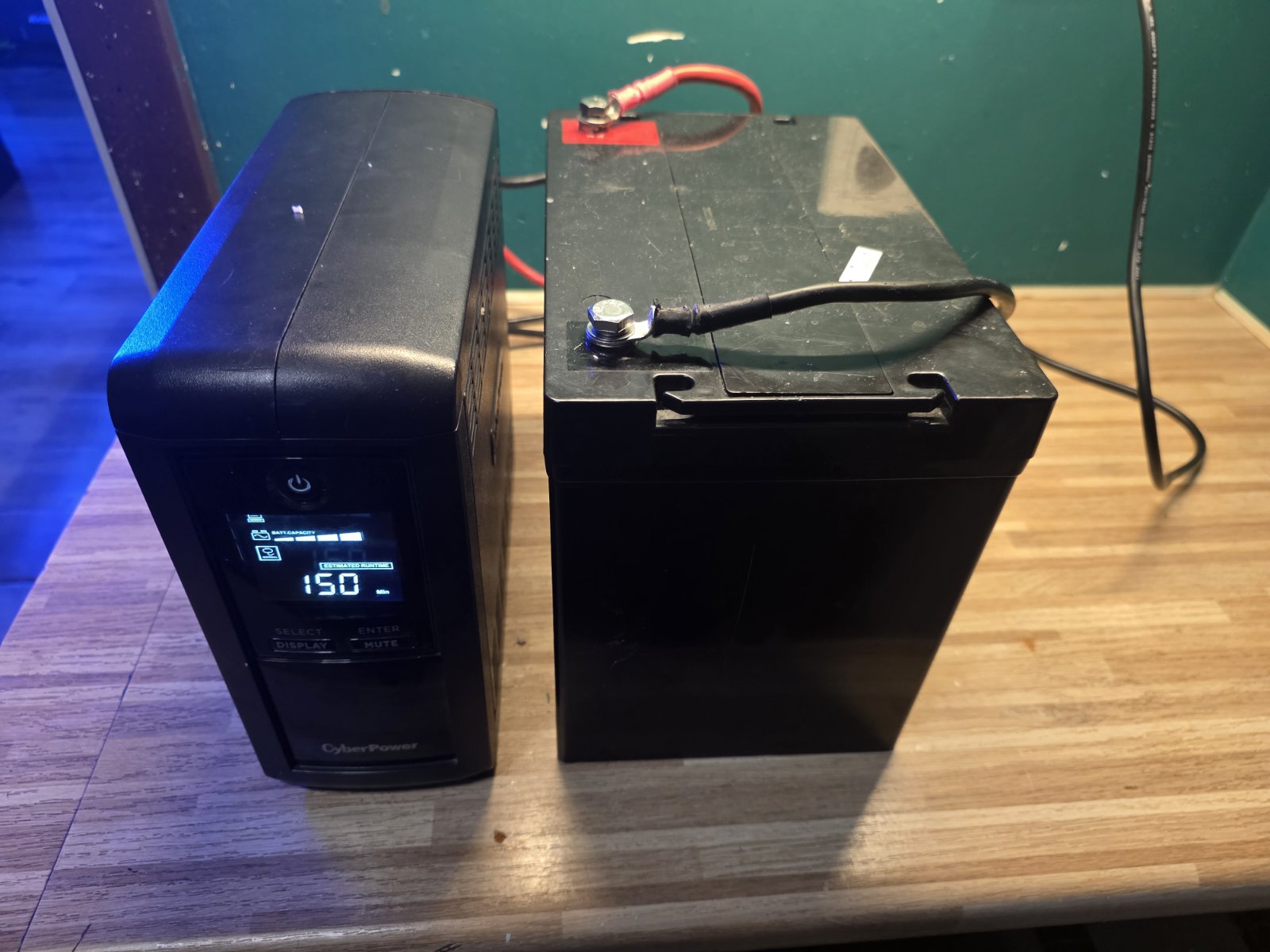
Who said you can't fit a massive 80Ah battery into a tiny desktop UPS? Okay, well, technically it doesn't fit inside, but who cares about minor details like "physical dimensions" or "manufacturer specifications"? Today, I decided to see what happens when you introduce a humble CyberPower Value Pro 1000VA to an absolute unit of a power source. The UPS is probably wondering what it did to deserve this, but the estimated runtime on the LCD is basically contemplating infinity right now. The little CyberPower UPS looks completely intimidated sitting next to that massive 80Ah block. Notice the LCD proudly displaying a highly optimistic runtime! The behind-the-scenes wiring. We ran thick gauge cables directly from the external battery terminals right into the UPS's internal connectors. It definitely ain't pretty, but it works. 🚨 Obligatory IT Admin Disclaimer: I strongly advise against doing this at home! Seriously, do not try this. The internal charging circuits of these small UPS units are absolutely not designed to handle the thermal load of charging a battery this large. This is purely a temporary workbench experiment for "science" (and a few laughs).
03/01/2026
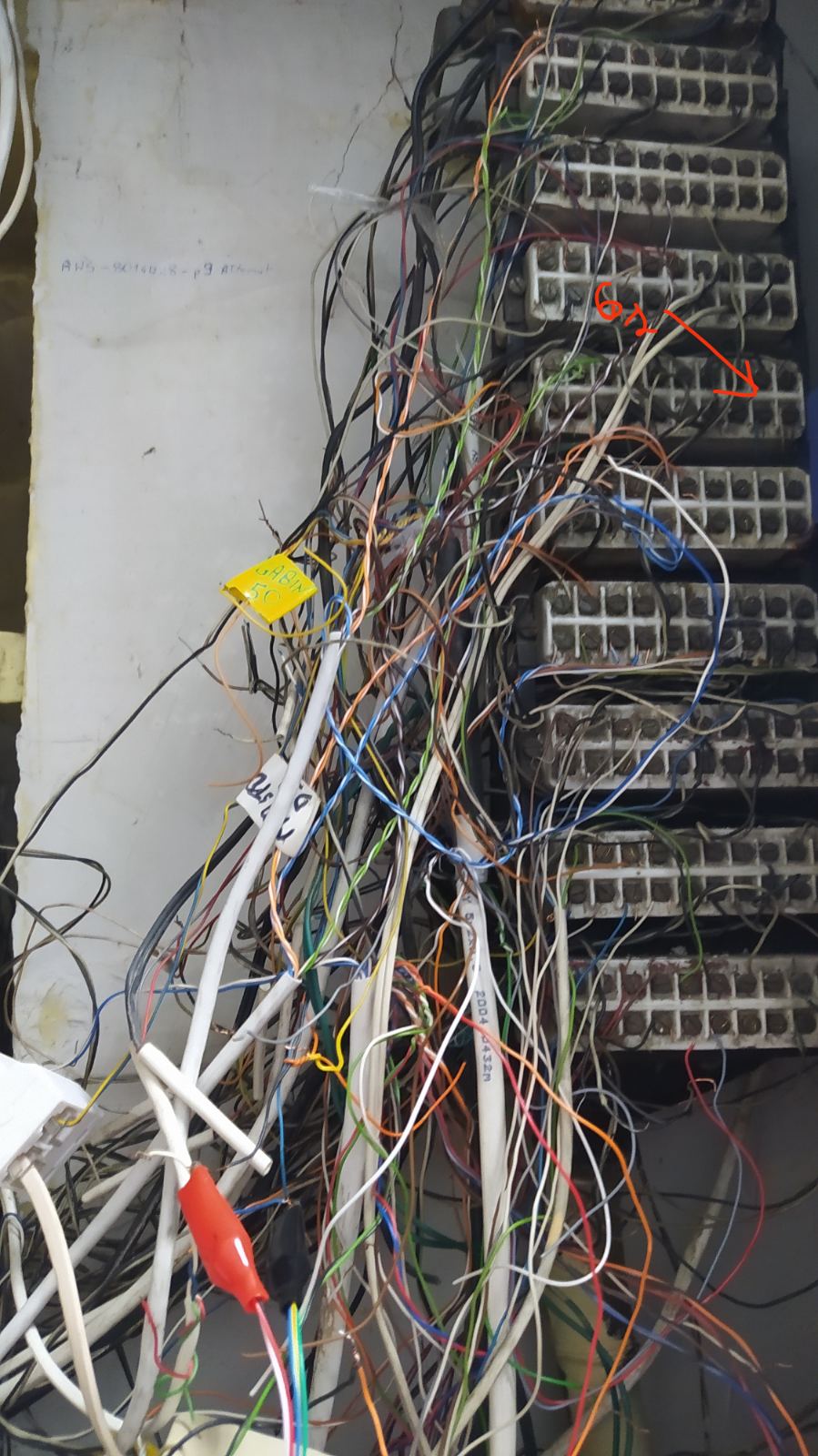
Every network administrator has that one specific nightmare. You open a cabinet expecting a standard patch panel, and instead, you are greeted by an analog telephony distribution frame that looks like it remembers the early Brezhnev era. This is exactly what we are dealing with at a client's site—a functioning hospital, no less. There is absolutely zero documentation. It is complete, unfiltered chaos. Touching a single, brittle wire feels like defusing a bomb, because one wrong move could accidentally take down the phone lines for the entire facility. The most terrifying part? The "bus factor" is exactly one. The only person who knows how this spaghetti monster is wired is a single technician who still remembers the golden days of the old TP SA telecom monopoly. I swear this guy is pushing 120 years old. If he ever finally decides to retire, we are all officially doomed. This terrifying setup is exactly why I am currently putting all my effort into persuading the client that a migration to a modern VoIP infrastructure isn't just an "upgrade"—it's a critical emergency intervention. Absolute disaster. Stripped wires, random paper tags, and alligator clips used for live testing. Older generation termination blocks with thick bundles of unmanaged copper wires spilling out The cleanest part of the setup, featuring old punch-down blocks. The only form of documentation is literally handwritten with a marker directly onto the metal casing of the box