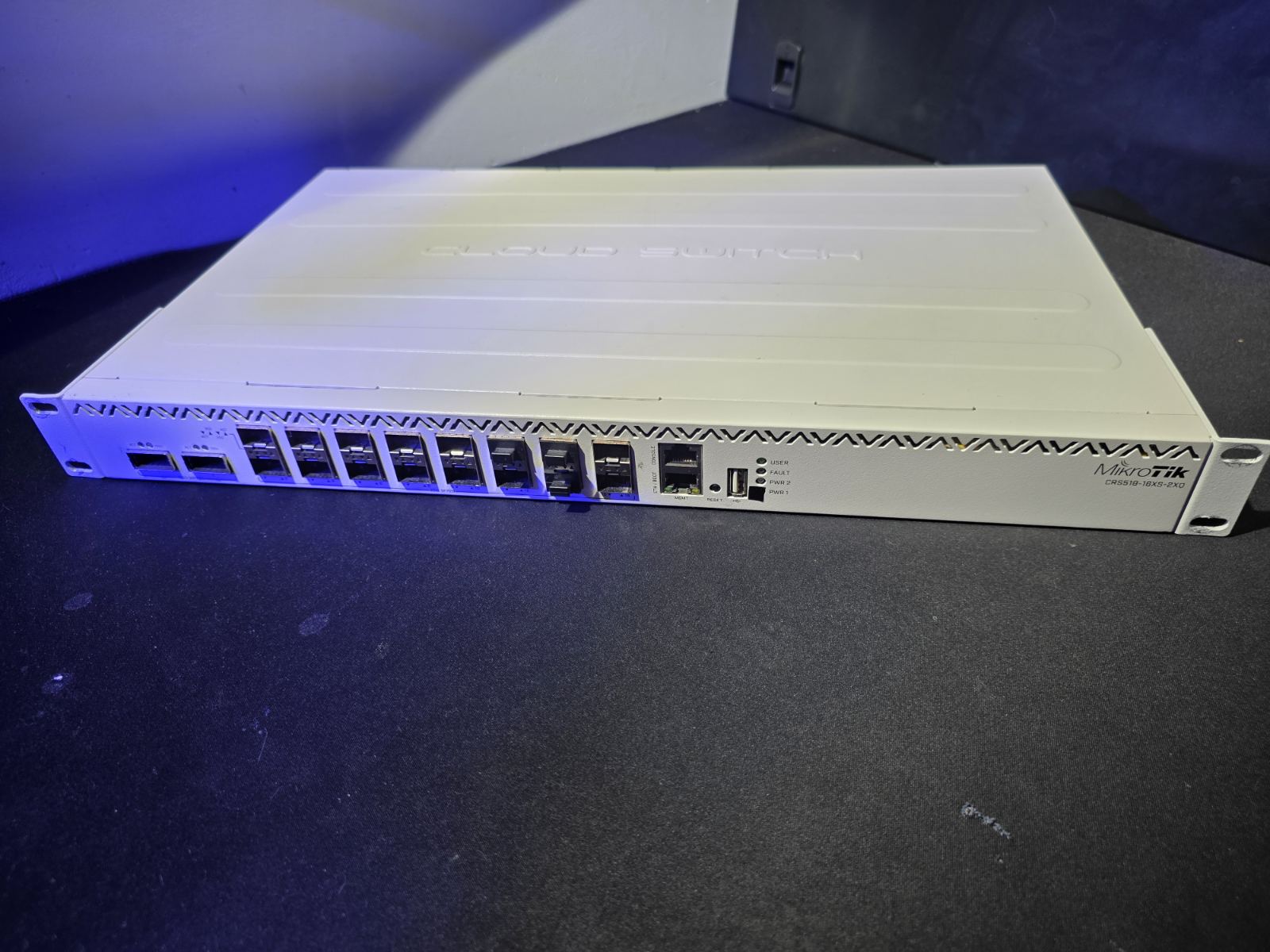
Every homelab environment eventually reaches a bottleneck where standard networking gear just isn’t enough anymore. For me, that moment came with the expansion of my VMware cluster with vSAN. To ensure seamless operation and eliminate storage latency, I needed serious bandwidth. Enter the MikroTik CRS518-16XS-2XQ-RM.
I hesitated for a long time before buying it. The price tag is quite steep for a home setup, but when you look at the raw specs and enterprise-grade performance it offers, it is actually incredibly cost-effective. Adding this hardware to my rack completely transformed my homelab, delivering an unbelievable performance boost and finally letting my VMware vSAN stretch its legs.
Clever Engineering & Internal Layout
Right out of the box, the physical design of the switch impressed me.
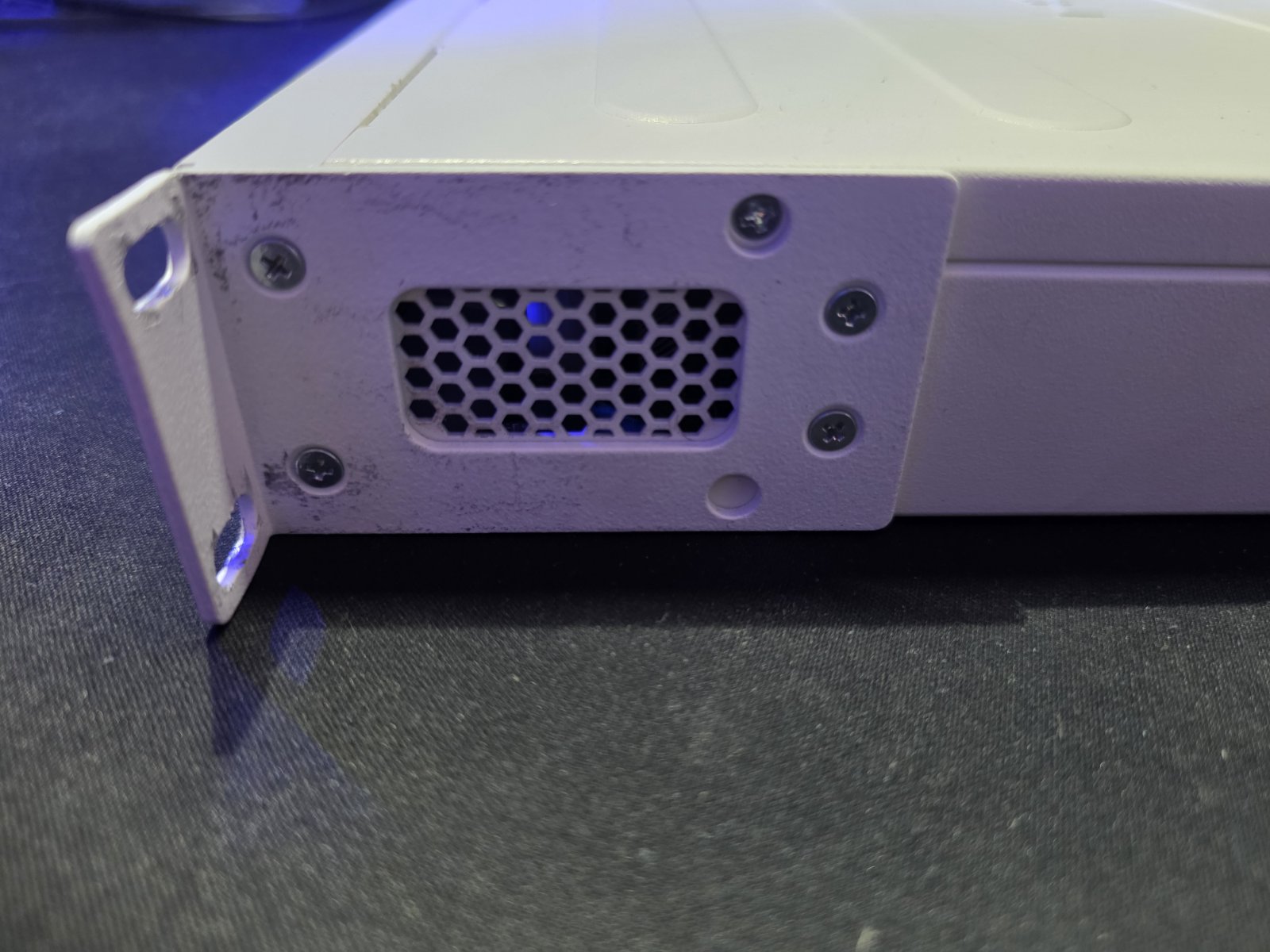
The rack ear mounting completely surprised me. It features a unique design that allows you to remove the top cover of the switch without having to unscrew the ears themselves. I have never encountered this clever solution anywhere else—it means you can pop the cover off and perform maintenance directly in the server rack without unmounting the entire switch!
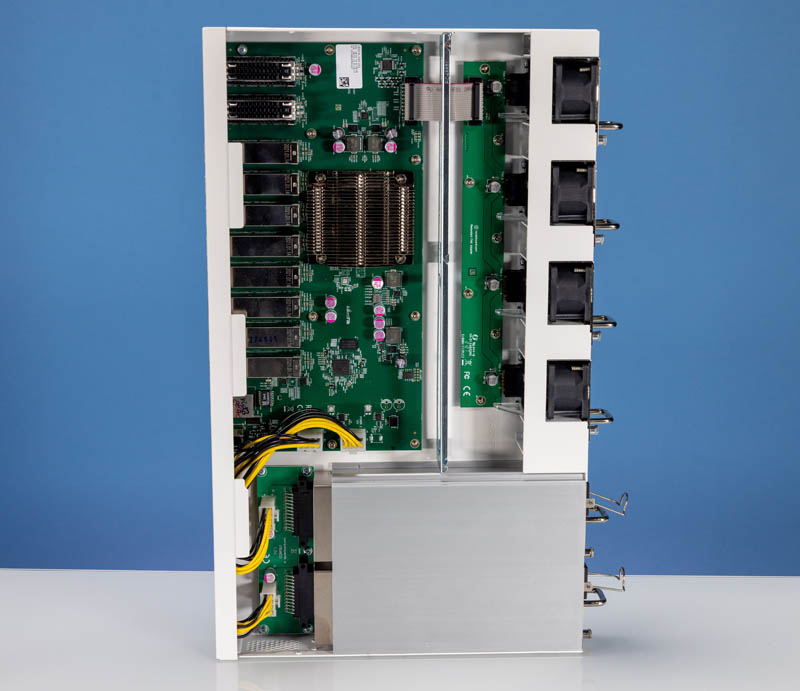
Taking a quick look at the interior, you can instantly see it means business. The layout is clean and highly professional. You have a massive central heatsink cooling the main switch chip, dual redundant power supplies at the bottom left, and a dedicated cooling channel relying on four hot-swappable fan modules on the right side. It is built for serious continuous throughput.
The Problem: Power Comes with Noise
As I mentioned, this switch is an absolute powerhouse. It gave my infrastructure exactly what it needed. However, it came with one major flaw: it is way too loud for a home environment.
To fix this, I decided to perform a hardware modification, replacing the stock jet-engine fans with the legendary Noctua NF-A4x20 PWM (40 mm, 5000 RPM, 4-pin) fans.
The Modification Process
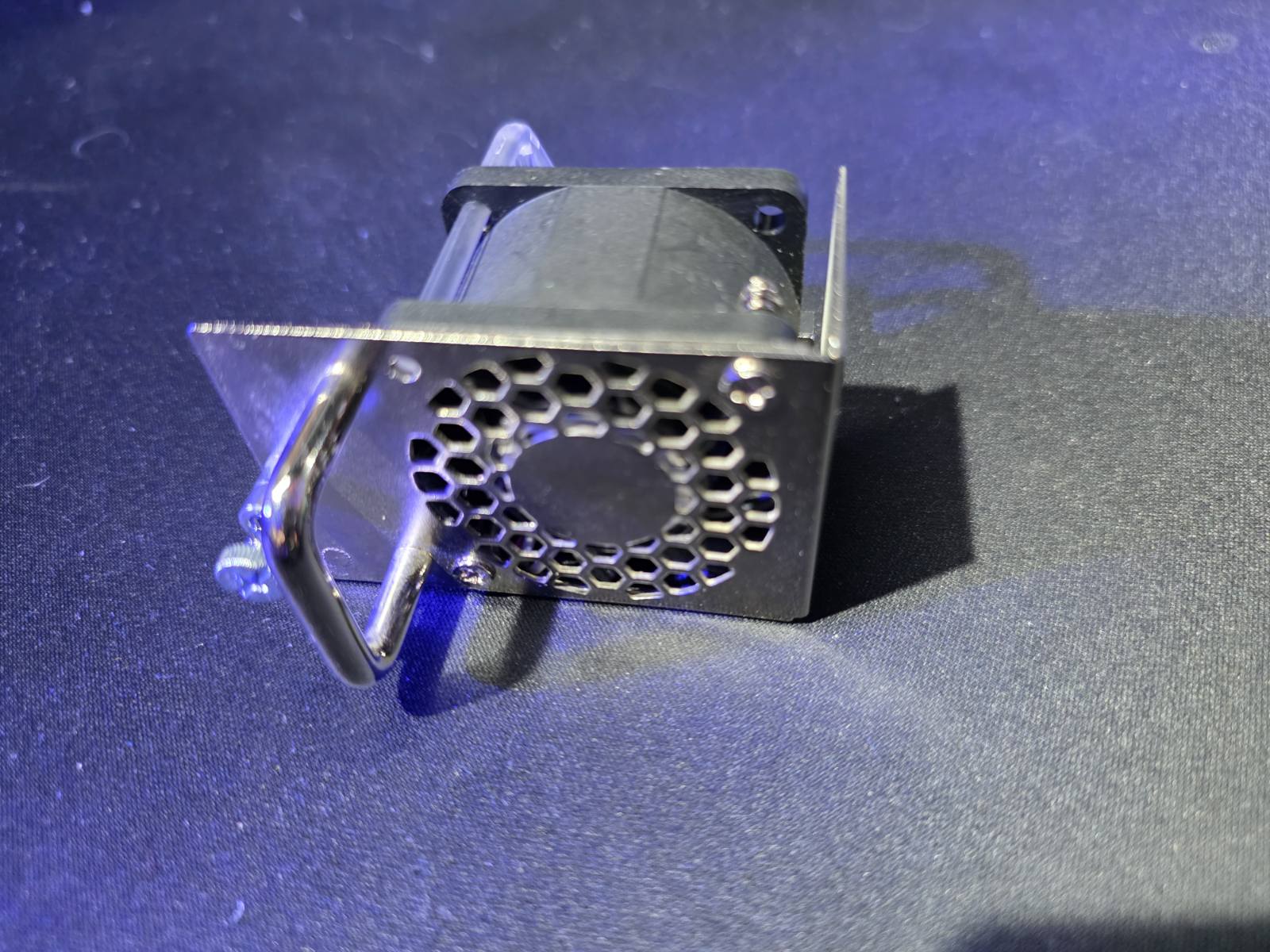
One of the best features of this MikroTik is its enterprise design. Both the power supplies and the cooling fans are entirely hot-swappable. Pulling the fan module out is quick, safe, and requires no tools.
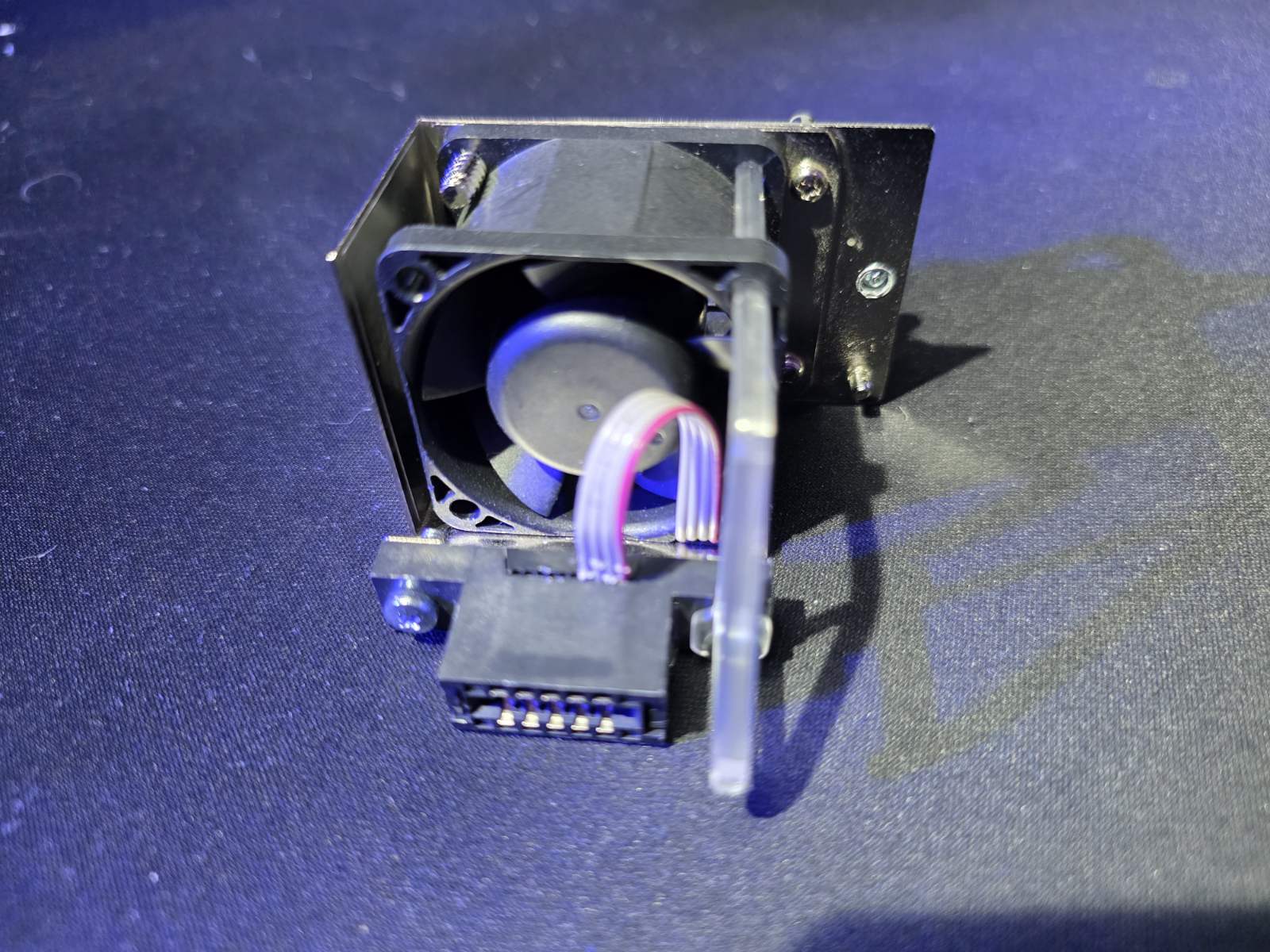
Looking at the back of the extracted module, I immediately noticed that swapping the fans would be incredibly simple. MikroTik didn’t solder the cables directly to the board; instead, they are routed into a very convenient, easy-to-release snap-in connector.
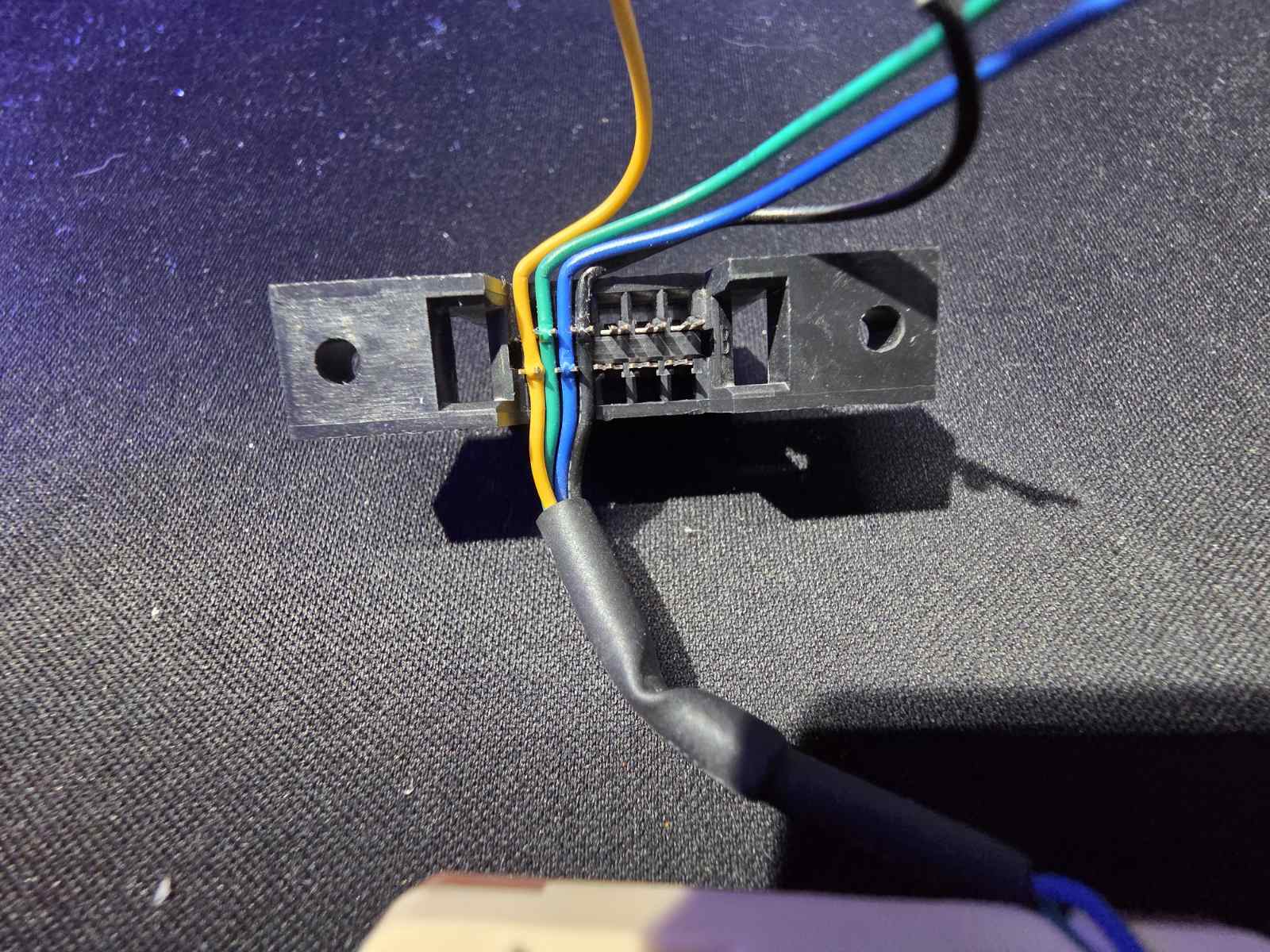
This is the most critical step of the entire modification. When stripping the new Noctua fan cables and preparing them for the MikroTik connector, you must pay close attention to inserting the cables in the exact right pinout order. Reversing them could damage the fan or cause the switch to throw cooling errors.
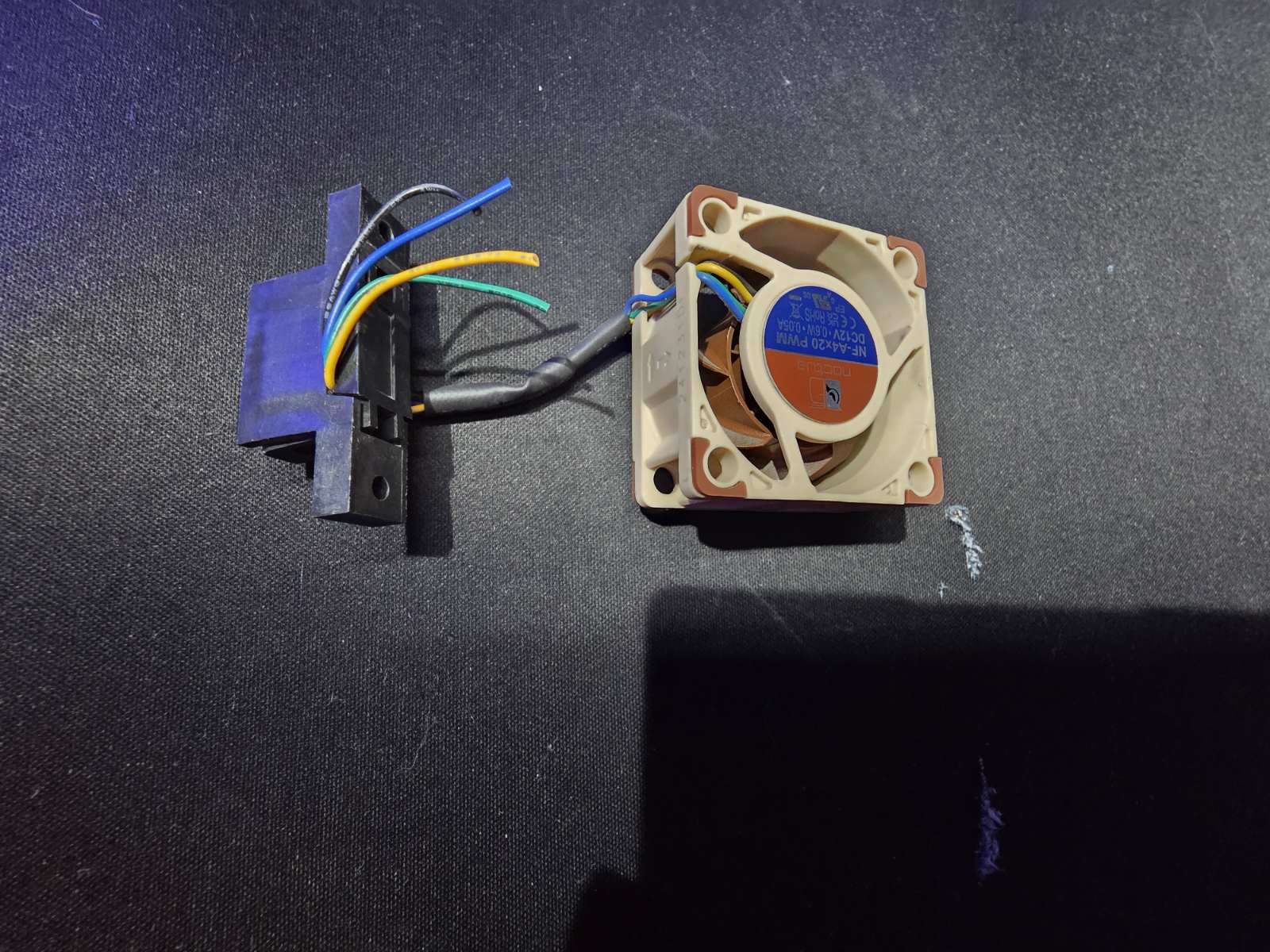
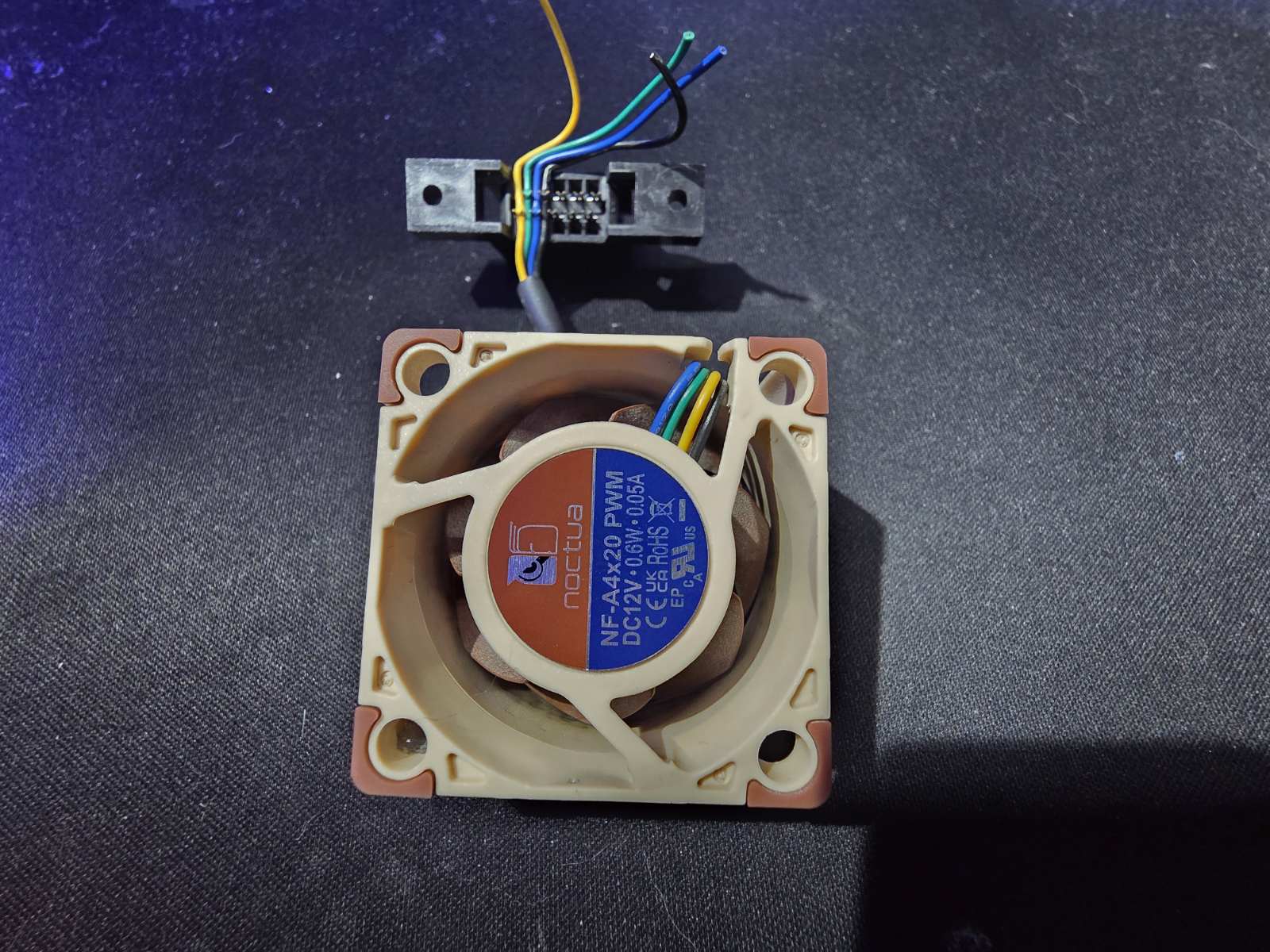
Here you can see the process of carefully pinning the new Noctua cables back into the original plastic latch mechanism. Thanks to the snap-in design, the whole process is clean and doesn’t require any destructive modifications to the switch’s original caddy.
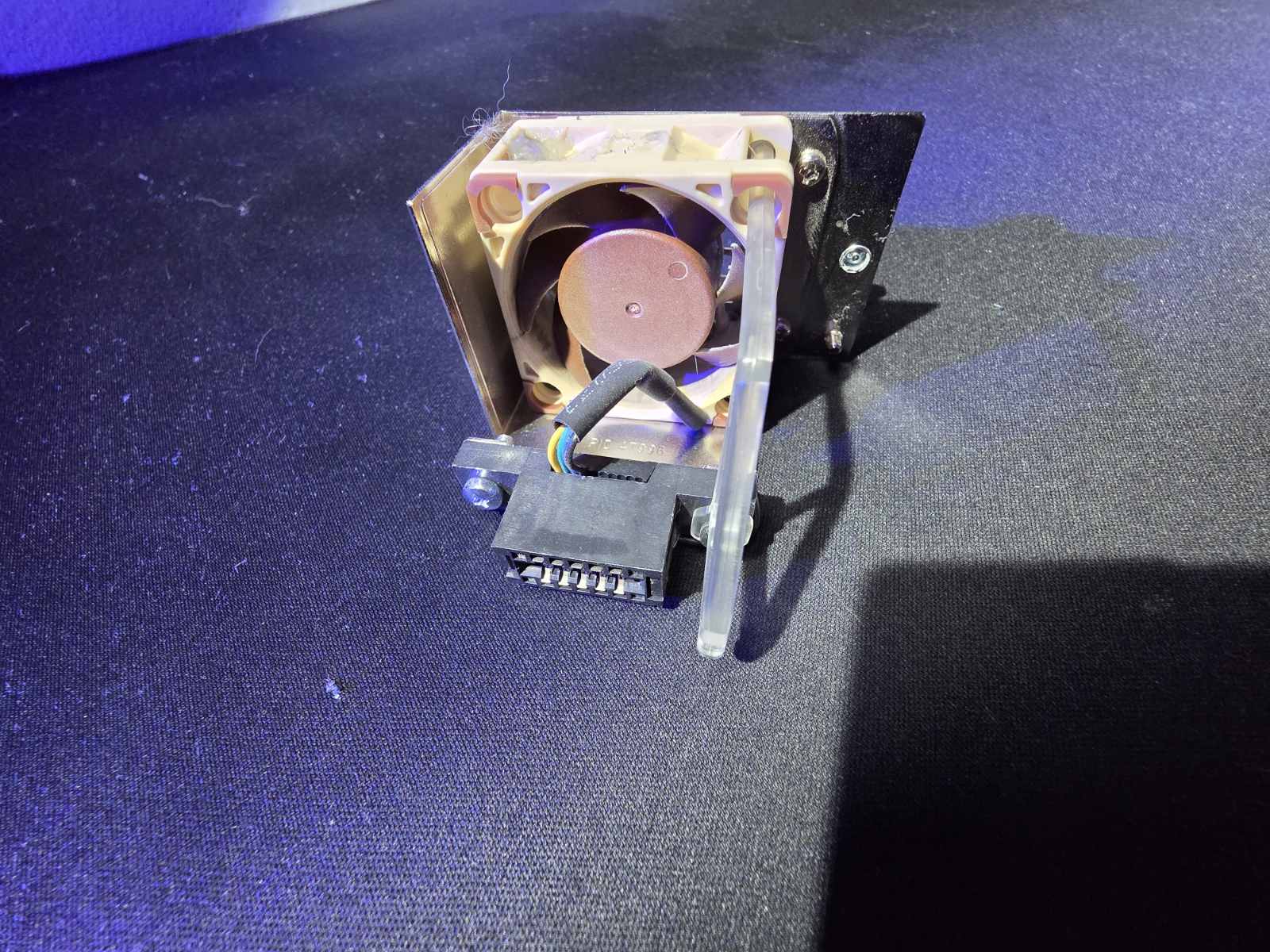
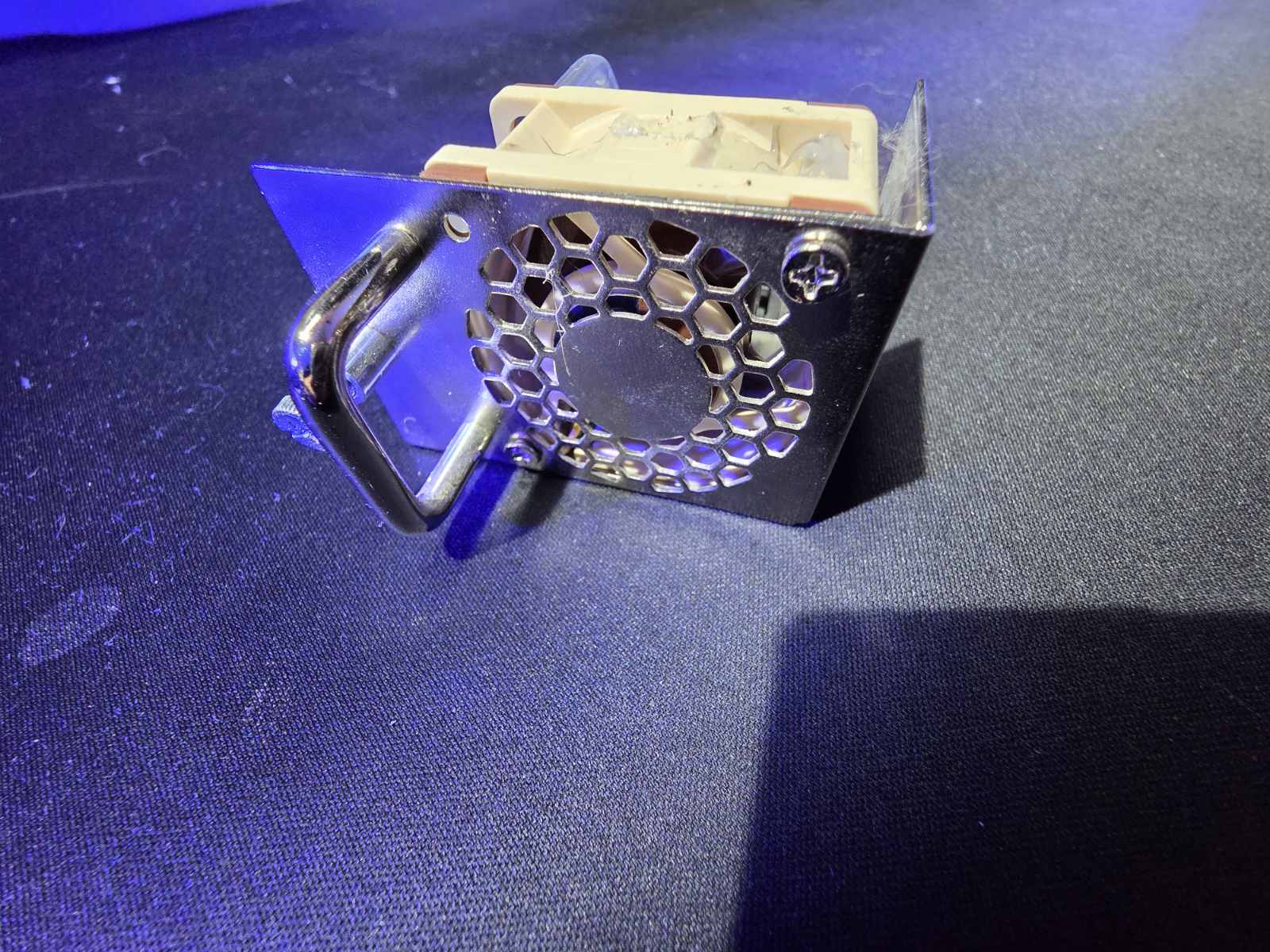
The new Noctua NF-A4x20 PWM fits perfectly into the metal hot-swap housing. It looks as if it came this way directly from the factory. The metal handle and the housing itself remain completely intact.
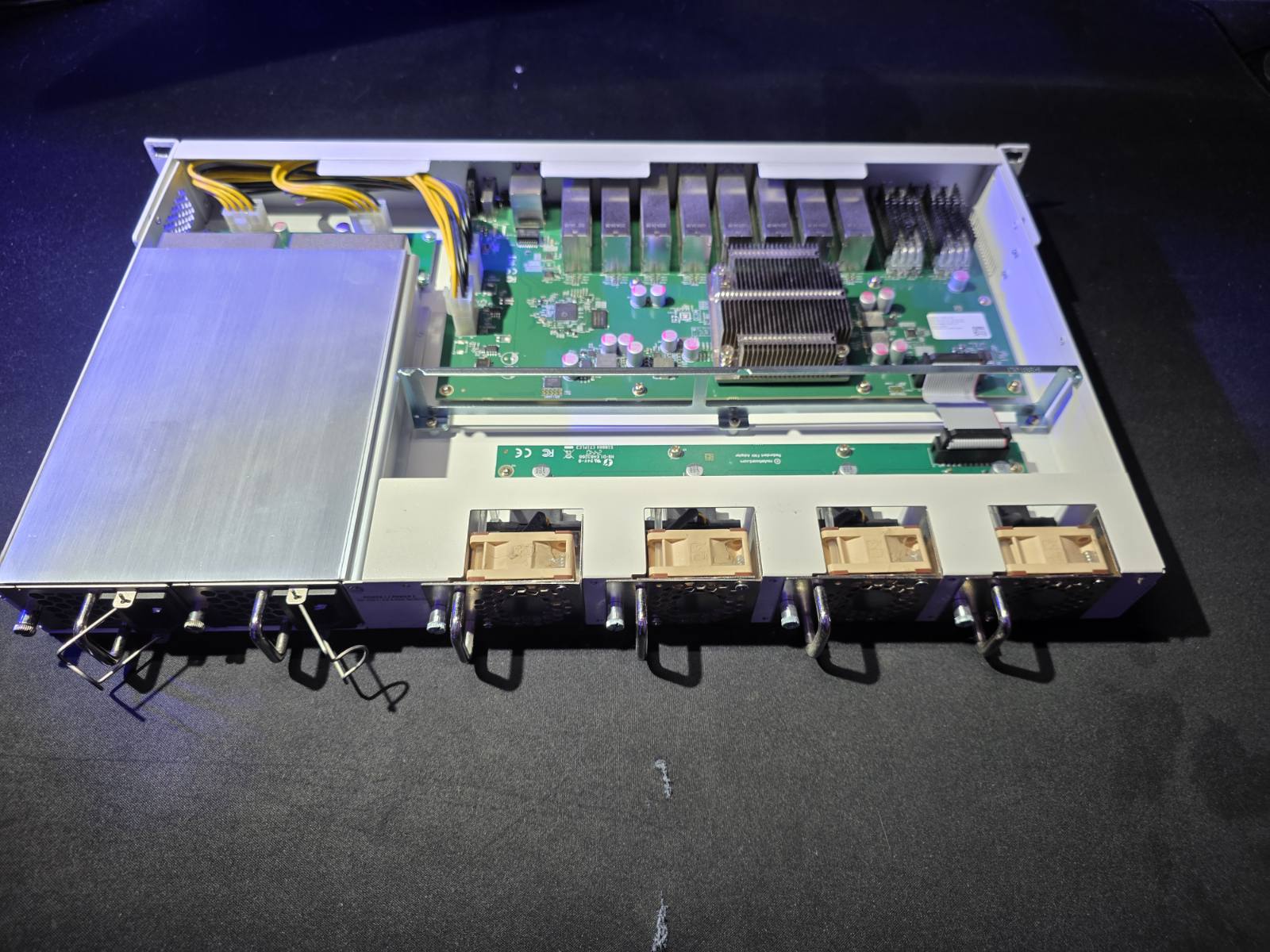
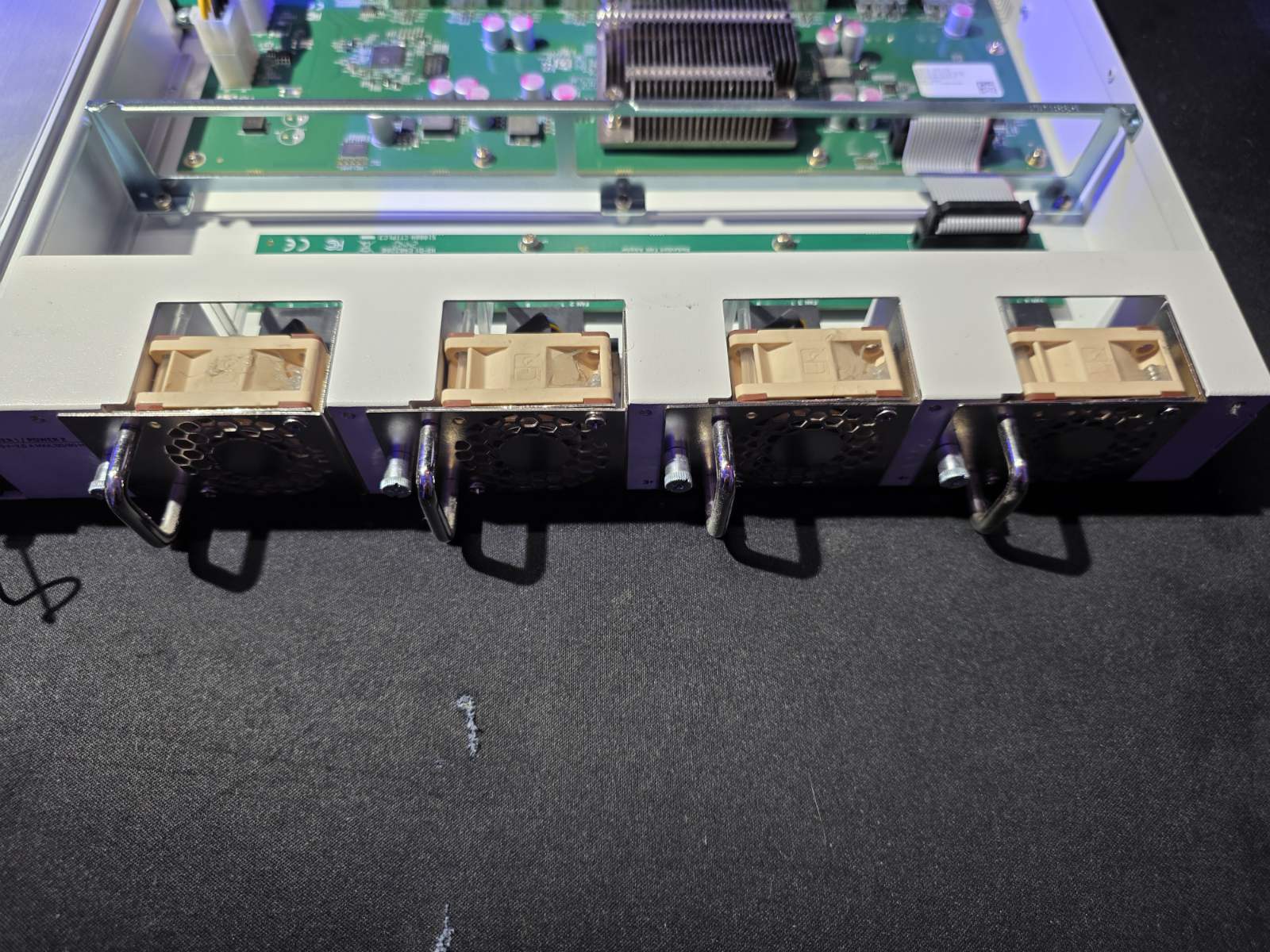
Sliding the modified hot-swap modules back into the chassis is incredibly satisfying. The iconic brown and beige colors of the Noctua fans peek through the chassis, entirely replacing the loud stock cooling solution while maintaining the hot-swap functionality.
One Year Later: The Verdict
This simple modification completely changed my experience with the device. The switch is now completely silent, fading entirely into the background noise of the house.
I have been running this modified setup for over a year now, putting the VMware vSAN cluster under heavy loads, and I haven’t noticed a single overheating issue. The thermal stability is fantastic. Combining the insane networking power of the MikroTik CRS518 with the brilliant, whisper-quiet engineering of Noctua fans is, without a doubt, the perfect solution for any serious home homelab.